


Updated on May 29, 2026
The touch-sensor technology is about using our fingers or some other pointer, to view and manipulate information on a screen. On a conventional system, with every mouse click, the operating system registers a mouse event. With a touch-screen system, every time your finger touches the screen, a touch event is registered.
A basic touch-screen system is made up of three components:
1. A touch sensor
2. Controller
3. Software driver
The touch-sensor is a clear panel, which when touched, registers a voltage change that is sent to the controller. The controller processes this signal and passes the touch event data to the PC through a bus interface. The software driver takes this data and translates the touch events into mouse events.
A touch-screen sensor any of the following five mechanics: resistance, capacitance, acoustics, optics and mechanical force.
A resistant sensor uses a thin, flexible membrane separated from a glass or plastic substance by insulating spacers. Both layers are coated with ITO (Indium-tin-oxide). These metallic coatings meet when a finger or stylus presses against the screen, thus closing an electric circuit.
Here voltage is applied to the corners of the screen with electrodes spread uniformly across the field. When a finger touches the screen, it draws current from each current proportionately. The frequency changes are measured to determine the X and Y coordinates of the touch event.
These sensors detect a touch event when a finger touches the screen resulting in absorption of sound energy. Bursts of high frequency (5-MHz) acoustic energy are launched from the edges of the screen. Arrays of reflection at the edges divert the acoustic energy across the screen and redirect the energy to the sensors. Because the speed of sound in glass is constant the energy arrival time identifies its path. A touch causes a dip in the received energy waveform for both axes. The timing of dips indicates the X and Y touch point coordinates.
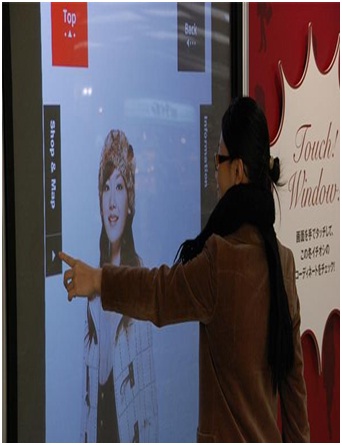
Sure, everybody is doing touchscreen interfaces these days, but this is the first time I’ve seen a monitor that can respond to gestures without actually having to touch the screen.
The monitor, based on technology from TouchKo was recently demonstrated by White Electronic Designs and Tactyl Services at the CeBIT show. Designed for applications where touch may be difficult, such as for doctors who might be wearing surgical gloves, the display features capacitive sensors that can read movements from up to 15cm away from the screen. Software can then translate gestures into screen commands.
Touchscreen interfaces are great, but all that touching, like foreplay, can be a little bit of a drag. Enter the wonder kids from Elliptic Labs, who are hard at work on implementing a touchless interface. The input method is, well, in thin air. The technology detects motion in 3D and requires no special worn-sensors for operation. By simply pointing at the screen,users can manipulate the object being displayed in 3D. Details are light on how this actually functions, but what we do know is this:
What is the technology behind it?
It obviously requires a sensor but the sensor is neither hand mounted nor present on the screen. The sensor can be placed either onthe table or near the screen. And the hardware setup is so compact that it can be fitted into a tiny device like a MP3 player or a mobile phone. It recognizes the position of an object from as 5 feet.
The system is capable of detecting movements in 3-dimensions without ever having to put your fingers on the screen. Their patented touchless interface doesn’t require that you wear any special sensors on your hand either. You just point at the screen (from as far as 5 feet away), and you can manipulate objects in 3D.
Sensors are mounted around the screen that is being used, by interacting in the line-of-sight of these sensors the motion is detected and interpreted into on-screen movements. What is to stop unintentional gestures being used as input is not entirely clear, but it looks promising nonetheless. The best part? Elliptic Labs says their technology will be easily small enough to be implemented into cell phones and the like. IPod touchless, anyone?
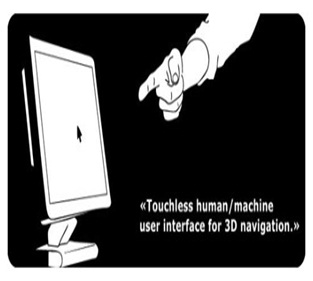
We have seen the futuristic user interfaces of movies like Minority Report and the Matrix Revolutions where people wave their hands in 3 dimensions and the computer understands what the user wants and shifts and sorts data with precision. Microsoft's XD Huang demonstrated how his company sees the future of the GUI at ITEXPO this past September in fact. But at the show, the example was in 2 dimensions, not
Today’s thoughts are again around user interface. Efforts are being put to better the technology day-in and day-out. The Touchless touch screen user interface can be used effectively in computers, cell phones, webcams and laptops. May be few years down the line, our body can be transformed into a virtual mouse, virtual keyboard and what not??, Our body may be turned in to an input device!
| Are you interested in this topic.Then mail to us immediately to get the full report.
email :- contactv2@gmail.com |
