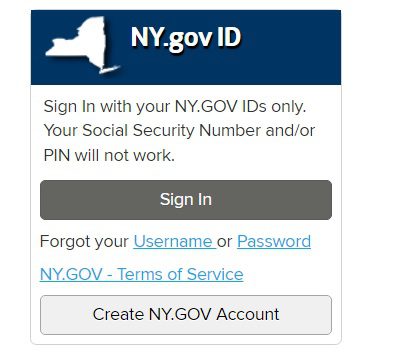
To access the New York State Department of Labor’s online services, including unemployment insurance and job search tools, please visit www.labor.ny.gov/signin.
This portal allows you to:
File or manage your unemployment insurance (UI) claim
Certify weekly benefits
View payment history and tax forms (e.g., 1099-G)
Access job search tools like JobZone
Update your account information
To sign in, you’ll need an NY.gov ID. If you don’t have one, you can create it on the same page. Once signed in, click on “Unemployment Services” to access your UI dashboard.
Important Notes:
The system is available for filing new claims and certifying weekly benefits during specific hours. For example, you can certify for weekly benefits online:
Sunday: 12:01 a.m. to midnight
Monday through Friday: 7:30 a.m. to midnight
Saturday: 12:01 a.m. to midnight
Avoid using VPNs, proxies, or anonymizers when accessing the portal, as they may cause login issues.
If you encounter login problems or need assistance with your NY.gov ID, visit the Login Help page for guidance on password resets, account recovery, and multi-factor authentication setup.
If you’re an employer seeking to manage your unemployment insurance account, please go to the Online Services for Employers page.
For further assistance, you can contact the Telephone Claims Center at 1-888-209-8124 during regular business hours.

Be the first to comment