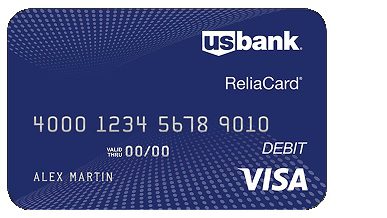
To activate your new US Bank ReliaCard, login into https://www.usbankreliacard.com/card-activation and enter your 16-digit card number. Scan the QR code to activate your card on the ReliaCard website and click Activate Card.
To activate your new U.S. Bank ReliaCard, follow these simple steps:
1. Gather Required Information
- Ensure you have your U.S. Bank ReliaCard in hand.
- You will need the card number and CVV (the 3-digit security code on the back of the card) to complete the activation.
2. Activate Online
- Visit the U.S. Bank ReliaCard activation page: U.S. Bank ReliaCard Activation.
- Enter your card number and CVV in the required fields.
- Follow the prompts to set up a PIN (Personal Identification Number) if needed.
3. Activate by Phone
- You can also activate the card by calling the U.S. Bank ReliaCard activation number:
1-855-282-6161 - Follow the automated prompts, which will ask you to enter your card number and CVV
- You may be asked to set up a PIN during this process
4. Activate via Mobile App
- If you prefer using a mobile device, you can download the U.S. Bank Mobile App (available on the App Store or Google Play).
- Once installed, log in or create an account if necessary, and follow the prompts to activate your ReliaCard.
5. Confirm Activation
- After completing the activation process, your ReliaCard should be ready for use immediately.
- You can check your card balance, view recent transactions, and more through the U.S. Bank ReliaCard website or mobile app.
The ReliaCard is a reloadable, prepaid debit card issued by U.S. Bank. The ReliaCard provides an electronic option for receiving your government agency payments. It is not a credit card, but works similarly to other prepaid debit cards.
It is a Visa® or Mastercard® prepaid debit card issued by U.S. Bank. Your funds will automatically be direct deposited to your card. You have access to you funds right away and you can use your card to make purchases, pay bills or get cash. It’s that simple!
How does the ReliaCard work?
Once funds are added to the card account, it can be used to make purchases, pay bills, and make online, phone or mail-order purchases. You can also get cash back with purchases at participating merchants or withdraw cash at ATMs, banks or credit unions.
The amounts of purchases, bill payments or cash withdrawals are automatically deducted from the available balance on the card.
What are the advantages of having a ReliaCard?
Fast – Your money is automatically deposited to your card account
Save time – Easy and quick access to your funds without waiting in line to cash or deposit a check
Convenient – Make purchases anywhere Visa® and Mastercard® debit cards are accepted, including retail stores, grocery stores, restaurants and pharmacies and withdraw cash at ATMs
Secure – No need to carry large amounts of cash.
How do I check my balance?
Online – View account online at usbankreliacard.com.
Text3/Email – Sign up to receive email or text alerts when funds have been deposited to your account or when your balance gets low
Mobile banking app – Search for “U.S. Bank ReliaCard” in the App Store® or Google PlayTM.
ATM – Perform a balance inquiry at an ATM.
US Bank Reliacard Activate :
You can activate your card on the ReliaCard website or on the mobile app
• Scan the QR code to activate your card on the ReliaCard website and click Activate Card
• From the mobile app, click Setup Online Access/Activate New Card.
• You will be prompted to create a password.
– Choose a password that is at least eight characters long and includes at least one of each: an upper case letter, a lower case letter, a number and a special character.
– Avoid having sequential numbers, such as 1234, or repeating characters, such as 111 or aaa.
– Carefully enter your password.
– Keep your password in a safe place for future reference.

The card comes with:
• Instructions on how to activate the card
• A complete Fee Schedule
• The Cardholder Agreement, which discloses terms and conditions
• A Usage Guide detailing where and how the card can be used
• The U.S. Bank Privacy Pledge
How do I get cash back with a purchase?
• When the authorization machine asks for credit or debit, select “Debit”
• Enter the 4-digit PIN
• Select “Yes” for cash back
• Enter the amount, press “OK”
Do I need a PIN to use the card?
Yes & No. The card can be used to make signature based purchases without a PIN. However, a PIN must be used for PIN-based purchases and for cash withdrawals at ATMs. You must choose your own PIN by visiting usbankreliacard.com after you receive your card. For security reasons it is important that you pick a PIN that only you would know, and not share the PIN or the card with anyone.
How do I transfer funds from my card to another bank account (“Card-to-Account Transfers”)?
If your program allows Card-to-Account Transfers, click on the “Transferring Funds” link on the left side of cardholder website and complete the required fields on the Card to Bank Transfer page. The transfer will appear as an ACH withdrawal on your card transaction history and monthly statement.
In addition, if a fee is assessed in relation to this transfer, the description of the fee in your transaction history and monthly statement will appear as a separate ACH withdrawal transaction. For more information about this fee, please see the Fee Schedule included in your card packet, log into your account at usbankreliacard.com.
