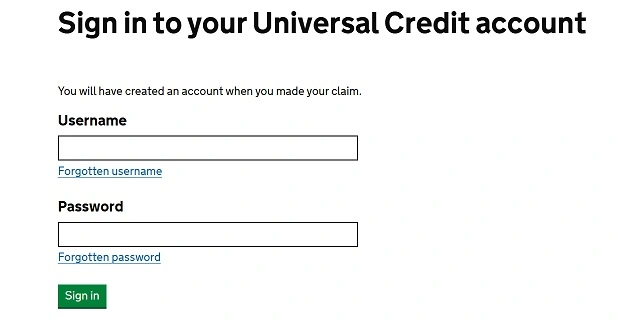
To sign in to your Universal Credit account, go to gov.uk/sign-in-universal-credit. Apply for an advance on your first payment, see your statement, report a change in circumstances and more.
Follow these steps:
Visit the official website: Go to Universal Credit sign-in page: https://www.gov.uk/sign-in-universal-credit
Enter your login details:
Your username
Your password
Complete two-factor authentication: If prompted, enter the code sent to your mobile phone or email.
Access your account: Once logged in, you can manage your Universal Credit claim.
If you have trouble logging in:
Use the “Forgot your username or password?” link on the sign-in page to recover your details.
Contact the Universal Credit helpline for assistance if you continue to face issues.
Also Read : DSWD Cash Assistance Programs
How to Apply for Universal Credit
Applying for Universal Credit in the UK is straightforward. Follow these steps to start your application:
1. Check Eligibility
Before applying, confirm that you’re eligible. You may qualify if you:
Are on a low income or unemployed.
Are aged 18 or over (in some cases, 16-17-year-olds may qualify).
Have savings below £16,000.
Live in the UK.
Use the Government’s Eligibility Checker for more details.
2. Gather Necessary Information
You’ll need:
Your National Insurance number.
Bank, building society, or credit union account details.
Housing information (e.g., landlord’s details, rent amount).
Employment details, including payslips.
Details of any savings or investments.
Information about any income (e.g., pensions, other benefits).
3. Apply Online
Visit the Universal Credit application page.
Set up an account if you don’t already have one.
Complete the application form. This typically takes about 30-40 minutes.
4. Verify Your Identity
After submitting your application, you’ll need to verify your identity:
Online via the GOV.UK Verify service.
In-person at a Jobcentre if needed.
5. Attend an Initial Interview
You’ll be required to attend a meeting at your local Jobcentre. You’ll receive details about this appointment after submitting your application.
6. Await Your Decision
After completing these steps, the Department for Work and Pensions (DWP) will process your application. If approved, payments usually begin about five weeks after your claim date. You can request an advance payment if needed.
