Your showclix account is your NYCC fan verified account. When you fan verify, showclix creates an account with your fan verified email, and then sends you a link to set up a password.
Here’s how to access or set up your NYCC (New York Comic Con) ShowClix login account:
🆕 Fan Verification → ShowClix Account
After completing Fan Verification for NYCC, you’ll receive an email prompting you to confirm or update your info. That email includes a link to ShowClix where you log in and finalize your account.
If you already purchased via the Popverse Superfan presale, that counts as Fan Verification too—and you’ll receive a ShowClix password setup link via email .
🔑 How to Set Up or Retrieve Your Password
“Your showclix account is your fan verified account. When you fan verify, showclix creates an account with your fan verified email, and then sends you a link to set up a password. If you didn’t get that link, it might have gone to spam. … enter your fan verified account email then select ‘forgot my password’… ”
Steps to follow:
Check your inbox (and spam) for a password setup email from ShowClix.
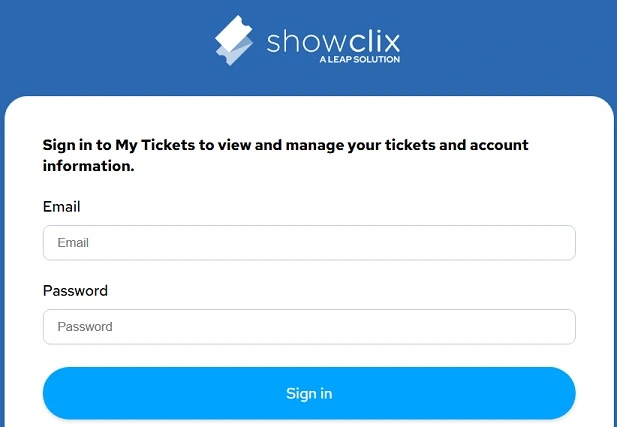
If you didn’t receive it, go to ShowClix My Tickets login page and click Forgot Your Password, entering your Fan Verification email.
Also Read : Florida Lottery Results Live Today
🔐 Logging In & Managing Tickets
Once logged in, click “Manage Your Tickets” to view or transfer tickets.
To activate your badge, go to Manage Your NYCC Profile and click “Activate Credential”, then enter the 8-digit code located on the back of your badge.
✅ Troubleshooting Tips
Login disabled during reservations? ShowClix may temporarily disable direct logins on big ticket or panel days—you can still log in once you’re in the reservation queue.
Missing Activation Button? Badge activation becomes available closer to the show—check back later, or contact NYCC customer service if it’s unusually early.
“They said … after noon no one will be able to log in or change their passwords until 1 pm for reservation”.
📞 Need More Help?
ShowClix Customer Care: 1-888-718-4253 (Mon–Fri 9 am–9 pm EST).
NYCC Support: 1-888-605-6059
🧾 Quick Summary
| Task | What to Do |
|---|---|
| Set up account | Use link after Fan Verification or Superfan purchase |
| Forgot password? | Use ShowClix “Forgot Your Password” |
| View/manage tickets | Log in → “Manage Your Tickets” |
| Activate badge | “Manage NYCC Profile” → “Activate Credential” + code from badge |
| Trouble logging in | Check reservation windows or call support |
Just follow these steps to log into ShowClix, manage your NYCC tickets, and activate your badge ahead of the event.

Be the first to comment