To access your benefits through NationsBenefits, you can use the following primary methods: You will need to click “Activate Your Card” or “Register” to set up your account.
1. Online Portal
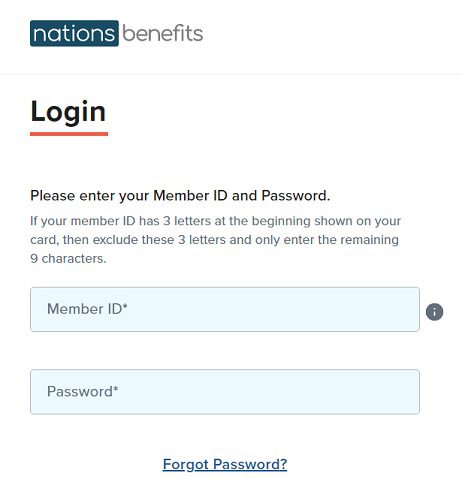
The main login page for members is mybenefits.nationsbenefits.com.
First-time users: You will need to click “Activate Your Card” or “Register” to set up your account. Have your 16-digit card number or your Member ID (from your health insurance card) ready.
Returning users: Simply log in with your username and password to check your account balance, view eligible items, or track recent orders.
2. Mobile App
You can download the MyBenefits app from the Apple App Store or Google Play Store. This is often the easiest way to scan items in-store to see if they are covered by your specific plan.
Also Read : Claude AI Rate Limit Error | Current Status
3. Benefit Options
Depending on your health plan, you can typically use the portal for:
Over-the-Counter (OTC): Ordering health and wellness products delivered to your home.
Grocery & Food: Purchasing healthy groceries (if your plan includes this specific benefit).
Flex Account: Managing funds for dental, vision, or hearing expenses.
4. Customer Support
If you are having trouble logging in or if your card is being declined, you can call the member experience team. The number is usually located on the back of your benefits card, but the general support line is 1-877-273-5388 (TTY: 711).
Tip:
If you are trying to shop at a local retail pharmacy (like CVS, Walgreens, or Walmart), make sure you check the “Store Locator” on the portal first to ensure the location is a participating provider for your plan.

Be the first to comment