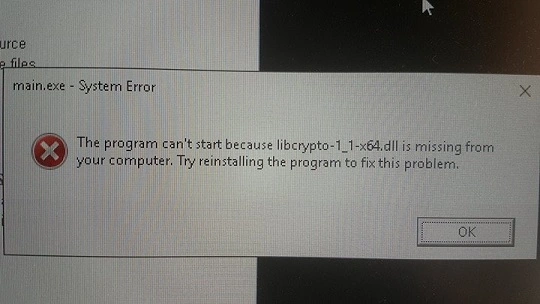

This error usually pops up when there’s a problem with an SSH key being used by libcrypto, a cryptography library often used for SSH connections.
Here’s a breakdown of common causes and how to troubleshoot them:
1. Key Format Issues
- Incorrect Line Endings: Make sure your private key file has Unix-style line endings (LF). Windows uses CRLF, which can cause problems. You can fix this with a text editor.
- Extra Characters or Whitespace: Ensure there are no extra characters, spaces, or lines before the “—–BEGIN OPENSSH PRIVATE KEY—–” or after the “—–END OPENSSH PRIVATE KEY—–” lines in your key file.
- Missing Newline: Sometimes, a missing newline character at the very end of the key file can trigger this. Add a newline if needed.
2. Key Permissions
- Too Open Permissions: The private key file should have restrictive permissions. Use
chmod 600 your_key_fileto set appropriate permissions.
3. SSH Agent Problems
- Agent Not Running: If you use an SSH agent (like
ssh-agent), ensure it’s running and your key is loaded into it. - Agent Crashed: If your agent crashed, restarting it might resolve the issue.
4. Key Type Mismatch
- Unsupported Key Type: The server you’re connecting to might not support the type of key you’re using. Try generating a different key type (e.g.,
ssh-keygen -t ed25519).
5. Corrupted Key
- Regenerate the Key: If you suspect your key is corrupted, generate a new one.
How to Troubleshoot
-
Check that the key file exists and is readable
Ensure the correct permissions (e.g.,
chmod 600). -
Verify the key format
Or for private keys in other formats:
If it says “unable to load key”, the file format might be wrong.
-
Convert between formats (PEM ↔ DER)
-
DER to PEM:
-
PEM to DER:
-
-
If encrypted, provide the passphrase
You’ll be prompted for the password.
