
https //umis2.xenovex.com Student Login
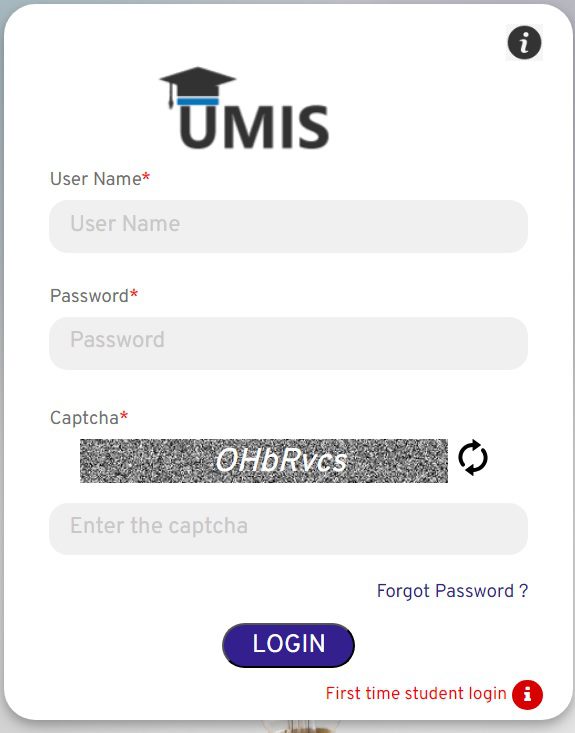
To access the Application, navigate to the URL shown below https://umis2.xenovex.com/. Click the Login Button. Enter the username and temporary password issued by the department through email.
The principals are requested to submit the Students Data in UMIS link ( https://umis2.xenovex.com/ ), the UMIS USER ID and PASSWORD is applicable in their respective College login.
The primary objective of UMIS is to provide a single window platform (like EMIS), for all institutions under DoTE, DoCE, DME, DPH, Law, TNAU etc. This common portal will help completeness of applications in other platforms like scholarship portals, etc. The portal would also enable easy accessible dashboard to the different stakeholders on number of students enrolled, the type of courses offered, the academic performance of students, etc.
TNeGA has collected student data of those currently pursuing higher education from all Universities across TamilNadu. This data was cleansed and uploaded into the UMIS database. Institutions are provided with a login for UMIS and are requested to verify the uploaded data and confirm the student information.
What is UMIS ?
University Management Information System [UMIS] is a common portal which stores the information of students pursuing higher education. This would help in better management of educational resources and provide the state government with better insight into the educational sector. UMIS also serve as a comprehensive platform that integrates data, automates processes, and provides analytical capabilities to support the diverse needs of a higher education department.
The genuineness of student data should be validated at the initial stage through interfaces like EMIS, NPCI, Aadhaar, eSevai, etc. UMIS will act as a Decision Support System and help the state and Education department administrators and management to make data-driven decisions through reports, analytics, and dashboards, etc
Modules
• Institution Information
• Course Information
• Student Information
• Institution Login
• Student data validation
What are the Pre-Requisites of UMIS ?
• Ensure that your system has the latest versions of browsers such as Chrome, Edge, Firefox, etc.
• Allow access to Geo-location when prompted by the browser.
How to access UMIS?
• To access the Application, navigate to the URL shown below https://umis2.xenovex.com/
• Click the Login Button.
• Enter the username and temporary password issued by the department through email.
• After logging in, you will be prompted to change the temporary password with a new password.
Institution Information
• After the initial successful login, the system will prompt you to provide the institute information by clicking on ‘Provide your Institute Information’.
• Details already provided by the institutes to TNeGA will be populated
• Missing details can be updated and saved.
