https //fritzbox Login : How do I login to Fritzbox?
To log in to your Fritzbox, go to http://fritz.box. You’ll be prompted to enter your Fritzbox password. This can be found on the underside of your router.
Follow these steps:
1. Connect to your Fritzbox: Ensure your computer, smartphone, or tablet is connected to your Fritzbox network either via Wi-Fi or Ethernet cable.
2. Open a web browser: Launch your preferred web browser (e.g., Chrome, Firefox, Safari).
3. Enter the address: In the address bar, type either:
http://fritz.boxhttp://192.168.178.1(default IP address)http://169.254.1.1(fallback IP address)
4. Log in: You’ll be prompted to enter your Fritzbox password. This can be found on the underside of your router.
5. Access the interface: Once logged in, you’ll have access to the Fritzbox user interface where you can configure settings, manage connections, and view information about your network.
Additional Notes:
- You don’t need an active internet connection to access the Fritzbox interface
- If you’ve changed the default password and forgotten it, you may need to reset your Fritzbox to factory defaults to regain access.
Opening the FRITZ!Box user interface
You can easily open the user interface on all computers, smartphones, or tablets connected to the FRITZ!Box (for example over Wi-Fi) by entering the address http://fritz.box in a web browser. After you enter the FRITZ!Box password, you can configure all of the FRITZ!Box functions and view detailed information about the product, your access, and connections in the user interface.
You do not have to set up the FRITZ!Box to open the user interface. Internet access is also not required.
Please note:
1. You can either enter http://fritz.box or the IP address of the FRITZ!Box (http://192.168.178.1 in the factory settings) to open the user interface. In addition, you can always use the emergency IP http://169.254.1.1 to access the FRITZ!Box.
2. It is not possible to open the user interface via the guest access.
- Entering the complete address in the address field
3. Always enter the complete address http://fritz.box. If you enter the address without the “http://”, for example, the web browser may start a web search instead of opening the user interface.
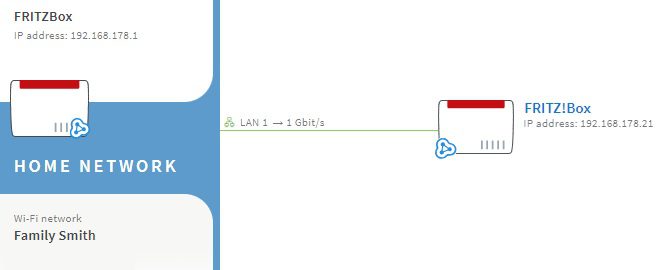
4. If you connected two FRITZ!Boxes with each other, you can use the Mesh Overview of the first FRITZ!Box (Mesh Master) to easily open the user interface of the second FRITZ!Box (Mesh Repeater). You can also use the Mesh Overview of the Mesh Master to open the user interfaces of all the Mesh Repeaters (FRITZ!Repeaters and FRITZ!Powerline devices) in the home network.
