http //fortnite.com/2fa Login : Fortnite Sign In Two-factor Authentication
To enable two-factor authentication (2FA) for your Fortnite account, follow these steps:
1. Log in to your Epic Games account on the official site. Click “Sign In” in the top right corner and select the platform associated with your Fortnite account.
2. Go to your Account Page.
3. Select “Password & Security” from the left menu.
4. Under “Two-Factor Authentication,” choose the method you want to use:
- Authenticator App: Use an authenticator app (such as Google Authenticator, LastPass Authenticator, Microsoft Authenticator, or Authy). When you sign in, you’ll need to use the security code provided by your authenticator app.
- Email: Receive a security code via email. The code will be sent to the address associated with your Epic Games account.
- SMS Code: Use your phone; you’ll receive a security code via SMS.
5. Click “SET UP” to enable your preferred 2FA method.
6. After selecting your authentication method, enter the code provided by Epic Games (for email and SMS) or generated by the app.
Your Fortnite account security is our top priority! Protect your account by enabling 2FA at fortnite.com/2fa. As a reward for protecting your account, you’ll unlock the Boogiedown Emote in Fortnite Battle Royale.
If you have 2FA enabled then you’ll get the following items in Save the World:
- 50 Armory Slots
- 10 Backpack Slots
- 1 Legendary Troll Stash Llama
TWO-FACTOR AUTHENTICATION (2FA)
Two-Factor Authentication (2FA) can be used to help protect your account from unauthorized access by requiring you to enter an additional code when you sign in. The Two-Factor Authentication feature currently supports the use of an authenticator app or an email address authentication method.
You will be asked to input the code from your selected Two-Factor Authentication method the first time you sign in if you have enabled Two-Factor Authentication. When checking in from a new device, after more than 30 days have gone since your last login, or after clearing your browser’s cookies, users who have enabled two-factor authentication will be prompted to enter the associated passcode.
Also Read : How To Do Split Screen on Fortnite Switch
GET STARTED HERE
To opt into Two-Factor Authentication:
- In your ACCOUNT Settings, click on the PASSWORD & SECURITY tab to view your security settings
- At the bottom of the page, under the TWO-FACTOR AUTHENTICATION heading, click to ENABLE AUTHENTICATOR APP or ENABLE EMAIL AUTHENTICATION as your two-factor method
If you prefer to use an authenticator app for two-step verification, here are a few common authenticator apps that can be found in your mobile device app store:
- Google Authenticator
- LastPass Authenticator
- Microsoft Authenticator
- Authy.
Keep your account safe and remember, Epic employees will never ask for your password!
All of the difficulties are listed here.

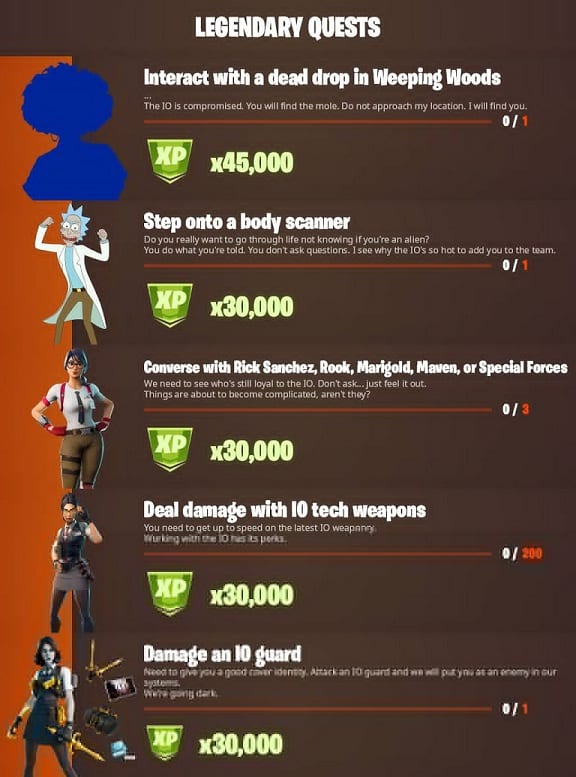
Before going through how to finish them, it’s a good idea to go over the number of tasks available and the awards that await players at the conclusion. This season, Epic tasks are worth more experience points than in prior seasons.
Players will receive 30,000 XP for completing each one.
Also Read : Comment Activer LA 2F Sur Fortnite
There are seven to finish, bringing the total amount of experience points that can be earned to 210,000:
• Go to Corny Complex or Lazy Lake and look for chests – 0/7
• 0/500 – Explosive damage to opponents or structures
• Collect spray cans from Dirty Docks warehouses or Pleasant Park garages – 0/2
• Destroy satellite station equipment – 0/15
• Look for a graffiti-covered wall near Catty Corner or at Hydro 16 – 0/1
• Enter a UFO – 0/1 • Visit many identified sites in a single match – 0/5
Completing all Epic challenges in Fortnite Season 7 Week 2
1) Go to Corny Complex or Lazy Lake and look for chests.
It’s as easy as it sounds to finish this. Players must search Corny Complex or Lazy Lake for seven chests.
2) Explosive harm to opponents or structures of opponents
To complete this challenge, gamers must use rocket launchers or grenades.
3) Collect spray cans from Dirty Docks warehouses or Pleasant Park garages.
Finishing this challenge in Dirty Docks will be easier than completing it in Pleasant Park, where you will be exposed to the open while sprinting from home to home. The game requires players to access warehouses and interact with spray cans.
4) Destroy satellite station equipment
Disposing of IO equipment will be a breeze, and you’ll get some well-deserved retribution. Discovery Dish, Weep Woods Dish, Dampy Dish, Defiant Dish, Dinky Dish, Destined Dish, or Dockside Dish are all places where users can destroy equipment.
