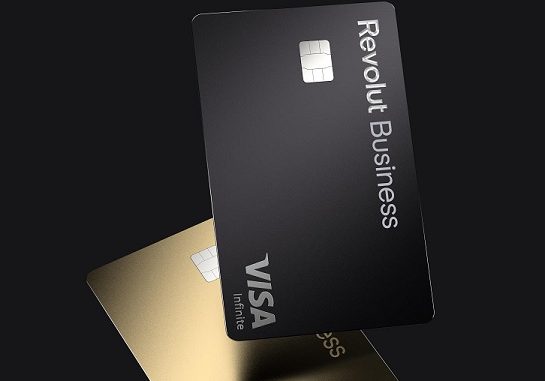
To activate your new Revolut physical card, you can either either go to the Cards tab in-app → select the card you want to activate → Activate now. Make a chip & PIN transaction with your new card.
Activating your Revolut card is a simple process. Here’s a step-by-step guide on how to do it:
1. Log In to Your Revolut Account
Open the Revolut app on your phone.
Enter your login details (email/phone number) if prompted.
2. Go to the “Cards” Section
In the app, navigate to the “Cards” tab (you’ll usually find it at the bottom of the app).
3. Select the New Card
If you’ve received a physical card, it will likely show up in the list of available cards.
Tap on the card to proceed with activation.
4. Activate the Card
You will be prompted to enter the card details (the card number, expiration date, and CVV) if you haven’t done so already.
If it’s a new physical card, there may also be an option to scan the card instead of entering the details manually.
Follow the instructions to complete activation.
5. Complete the Security Check
You may be asked to complete some security verification, such as confirming your identity with a photo or PIN.
6. Done!
After completing the activation, the app will notify you that your card is now ready to use.
Your physical card is now active, and you can start using it immediately for online and in-store purchases.
For security reasons, our physical cards have contactless and online payments disabled by default. Go to the card’s settings to enable them.
You can also submit a request to reactivate your card or report any troubles with delivery.
How to activate Revolut <18 card?
To activate the card, your teen will need to make a chip & PIN transaction in a shop or at an ATM. Once done, this will automatically activate contactless and online payment.
Also Read : How do I Connect my FuboTV with a Code
How can I activate the Gambling Block?
The Gambling Block is deactivated by default. If you want to activate it, follow these steps:
- Open the Profile section
- Go to Security & Privacy
- Press on Gambling Block toggle and confirm it
The block starts working immediately after it has been enabled. Gambling Block can only be activated through the Revolut App.
How to create a virtual card?
To order a virtual card:
- Go to the ‘Cards’ tab in the app
- Select ‘Get card’
- Select ‘Virtual card’ and complete your order
This card will instantly appear in your app and can be used for online purchases immediately without any further activation. You won’t receive a physical copy of this card.
How to use a virtual card
Once you create a virtual card, it is ready to be used. You do not need to activate it. To view its details (card number, CVV, expiry date), you need to find your card in the ‘Cards‘ section and tap on ‘Show details‘.
Virtual cards do not have a PIN code.
It’s also possible to connect your virtual Revolut card to Apple Pay or Google Pay to make contactless payments in shops, restaurants, or public transit.
It is not possible to use virtual cards with ATMs.
You can have up to 20 active virtual cards and 1 disposable card linked to your account.
👉 There is a limit to how quickly you can obtain 20 virtual cards. You can only create a maximum of 4 virtual cards every 30 days.
