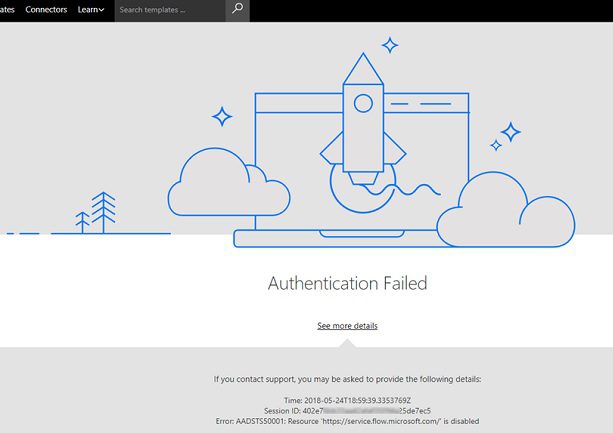
Authentication Failed due to Problem Navigating to the Single Sign-On URL Microsoft
The error message “authentication failed due to problem navigating to the single sign-on URL” can occur when using Microsoft products and services that rely on single sign-on (SSO) for authentication, such as accessing Microsoft 365 applications through a corporate network.
Here are some possible reasons and solutions specific to Microsoft SSO issues:
Possible Reasons
Incorrect SSO Configuration: The SSO settings in your Microsoft 365 tenant or Azure AD might be misconfigured, leading to the incorrect SSO URL being generated.
AD FS Issues: If your organization uses Active Directory Federation Services (AD FS) for SSO, there could be issues with the AD FS server or its configuration preventing successful redirection to the SSO URL.
Conditional Access Policies: Microsoft Conditional Access policies might be blocking access to the SSO URL based on certain conditions, such as device compliance or location.
Browser Compatibility: The browser you’re using might not be fully compatible with Microsoft’s SSO implementation.
Potential Solutions:
Verify SSO Configuration: Work with your system administrator to check the SSO configuration in your Microsoft 365 tenant or Azure AD. Ensure that the correct SSO URL is being generated.
Check AD FS: If using AD FS, check the AD FS server status and configuration. Look for any errors or warnings in the AD FS event logs.
Review Conditional Access Policies: Review your organization’s Conditional Access policies to see if any of them might be blocking access to the SSO URL. If necessary, work with your administrator to adjust the policies.
Try a Different Browser: Try using a different supported browser, such as Microsoft Edge or Google Chrome. Make sure your browser is up to date.
Clear Browser Cache and Cookies: Clear your browser cache and cookies, as outdated data might be interfering with the SSO process.
Contact Microsoft Support: If you’re still having issues, contact Microsoft support for further assistance. They can help troubleshoot the problem and identify any issues with your Microsoft 365 tenant or Azure AD configuration.
Additional Considerations:
Azure AD Connect: If your organization uses Azure AD Connect to synchronize on-premises Active Directory with Azure AD, ensure that Azure AD Connect is running correctly and that there are no synchronization errors.
Multi-Factor Authentication: If multi-factor authentication (MFA) is enabled, ensure that you’re completing the MFA process correctly.
Third-Party SSO Providers: If your organization uses a third-party SSO provider, check with the provider’s support team for troubleshooting assistance.
Remember, these are just some general suggestions. The exact solution will depend on your specific environment and configuration. If you’re unsure how to proceed, it’s always recommended to seek help from your IT support team or Microsoft support.
