Home Affairs Online Booking for ID Card South Africa
If you want to book an appointment with the Department of Home Affairs (DHA) to apply for or renew your ID card, visit www.dha.gov.za and Navigate to the Branch Appointment Booking System.
Here’s how you can do it online:
1. Go to the DHA website:
- Visit the official Department of Home Affairs website: www.dha.gov.za
2. Navigate to the Branch Appointment Booking System (BABS):
- Look for a link or tab that says “BABS,” “Online Booking,” or “Appointments.” It might be on the homepage or under a “Services” section.
- You can also try this direct link: services.dha.gov.za
3. Provide your information:
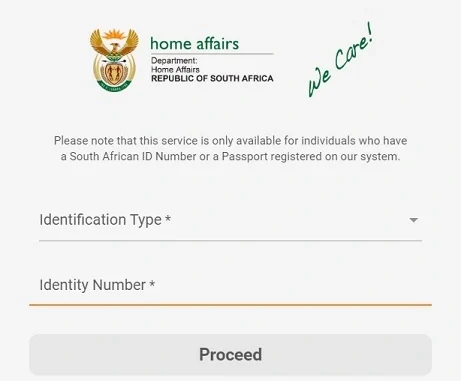
- Identification Type: Select “ID Card” (or the relevant option for your specific needs).
- Identity Number: Enter your South African ID number.
- Proceed: Click the “Proceed” button or equivalent.
4. Choose a branch and time slot:
- Select a branch: Choose the Home Affairs office that is most convenient for you from the list of available locations.
- Select a date and time: Browse the available appointment slots and pick one that suits your schedule.
5. Confirm your booking:
- Review your details: Double-check that all the information you’ve entered is correct.
- Submit your booking: Click the “Confirm” button or equivalent to finalize your appointment.
6. Receive confirmation:
- Email/SMS: You should receive a confirmation of your booking via email or SMS. Keep this confirmation safe as you may need to show it at your appointment.
Important Notes:
• Not all branches offer online booking: The online booking system is not yet available at all Home Affairs offices. If your nearest branch isn’t listed, you may need to visit in person or contact them to inquire about alternative booking methods.
• Be prepared for your appointment: Make sure you have all the necessary documents and supporting materials required for your ID card application or renewal. You can find this information on the DHA website or by contacting your chosen branch.
• Arrive on time: Be punctual for your appointment to avoid any delays or complications.
I hope this helps you secure your Home Affairs appointment online! If you have any further questions, you can contact the Home Affairs Contact Centre at 0800 60 11 90.
